
Gaming
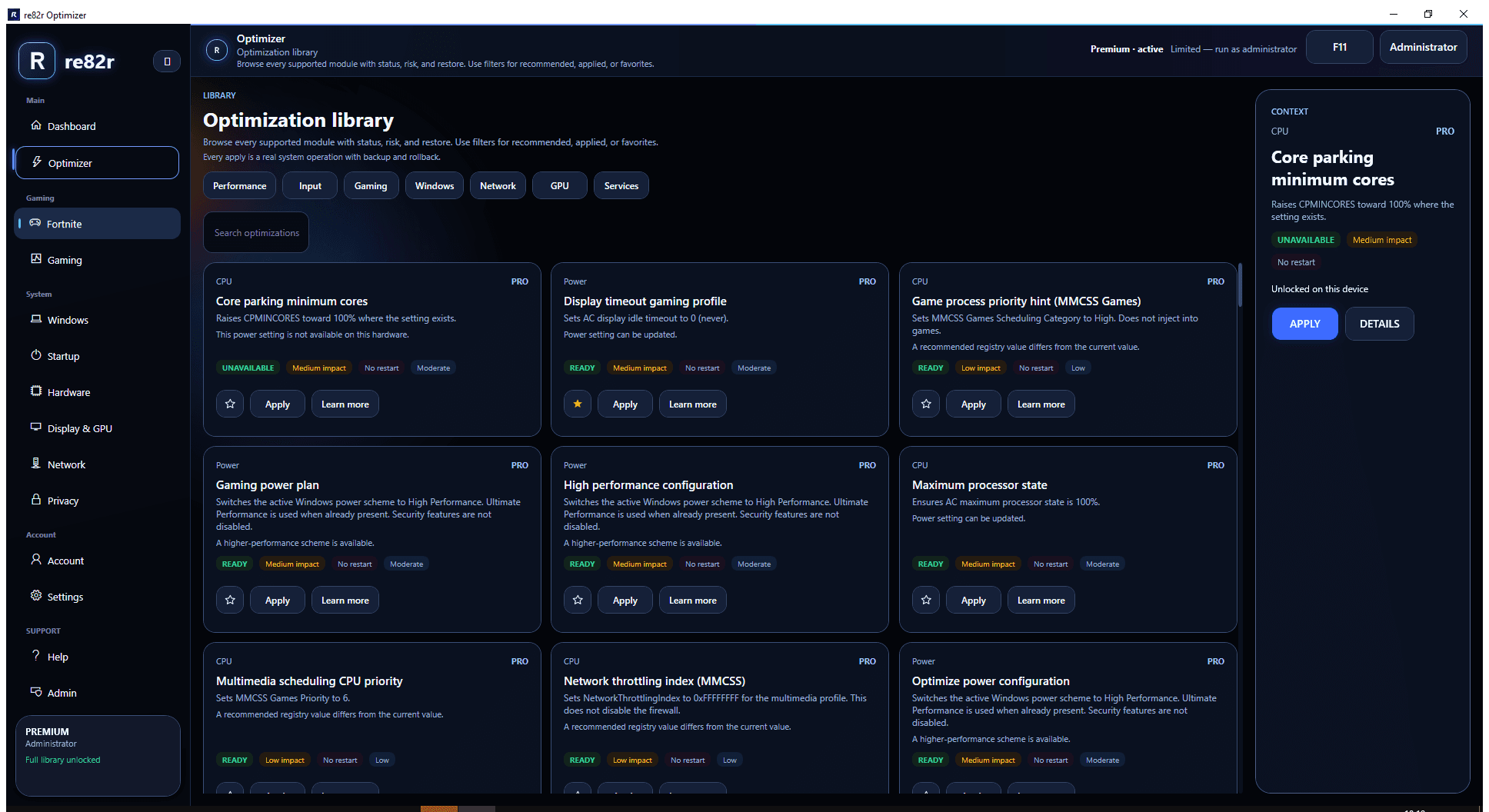
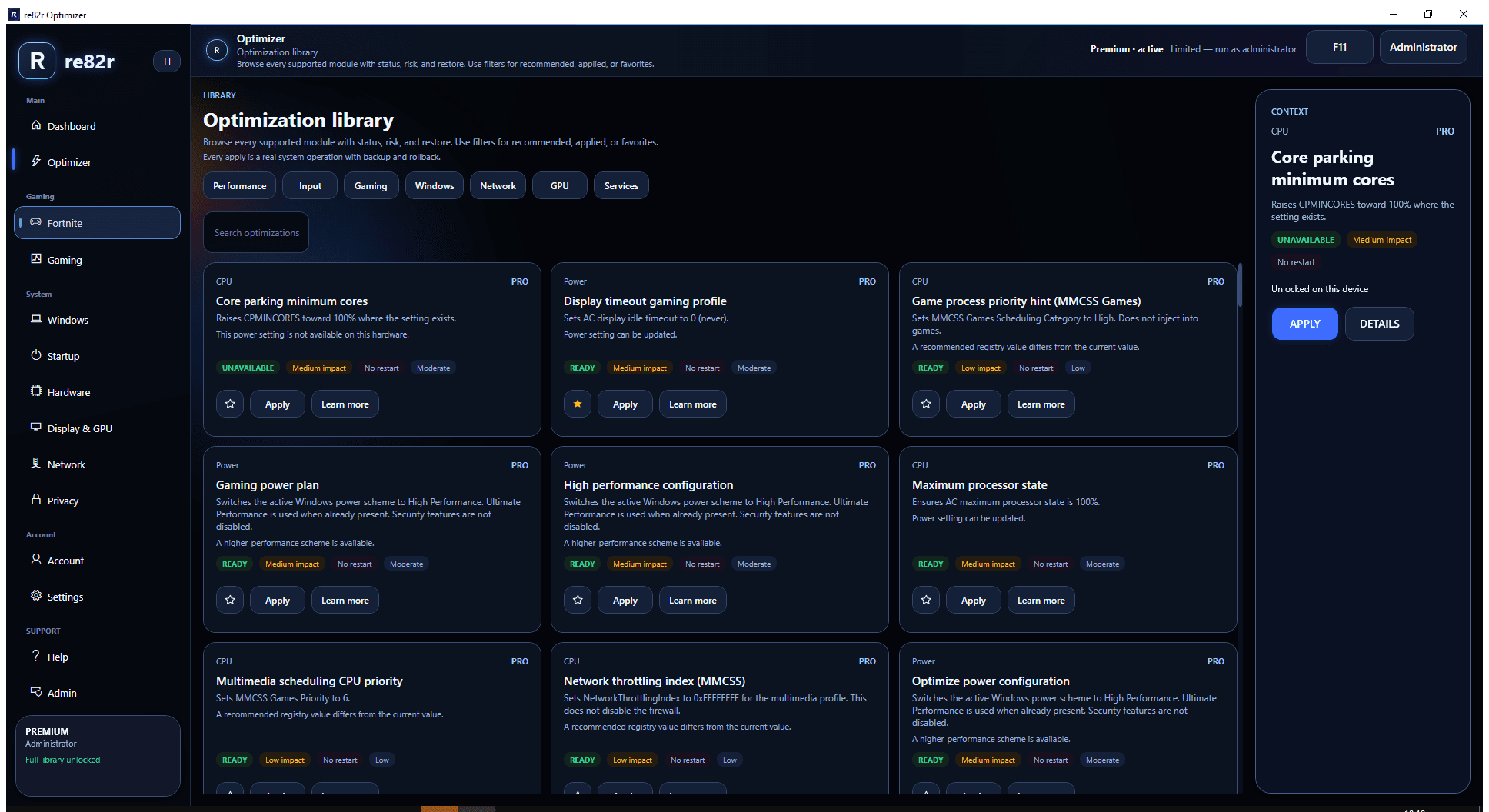
Gaming power plan
Switches the active Windows power scheme toward High Performance while you play. Security features are not disabled.
Windows 10 / 11 · x64 · v1.1.1
re82r Optimizer is a Windows utility for gamers. It applies selected Windows, gaming, and Fortnite-related settings with preview, backup, and restore. It does not promise FPS or ping gains.
What it is
The catalog is a library of detect, apply, verify, and rollback modules. You choose what to change. Remote configuration is feature flags and metadata — not executable code.
Gaming
Gaming is the broader session area: live CPU/GPU load, Gaming Mode, and Windows settings that affect play. It is not limited to Fortnite. Gaming Mode snapshots the active power plan, can set High Performance, and lowers priority of a small allow-list of non-protected processes. It never kills SYSTEM or PROTECTED processes.
Fortnite
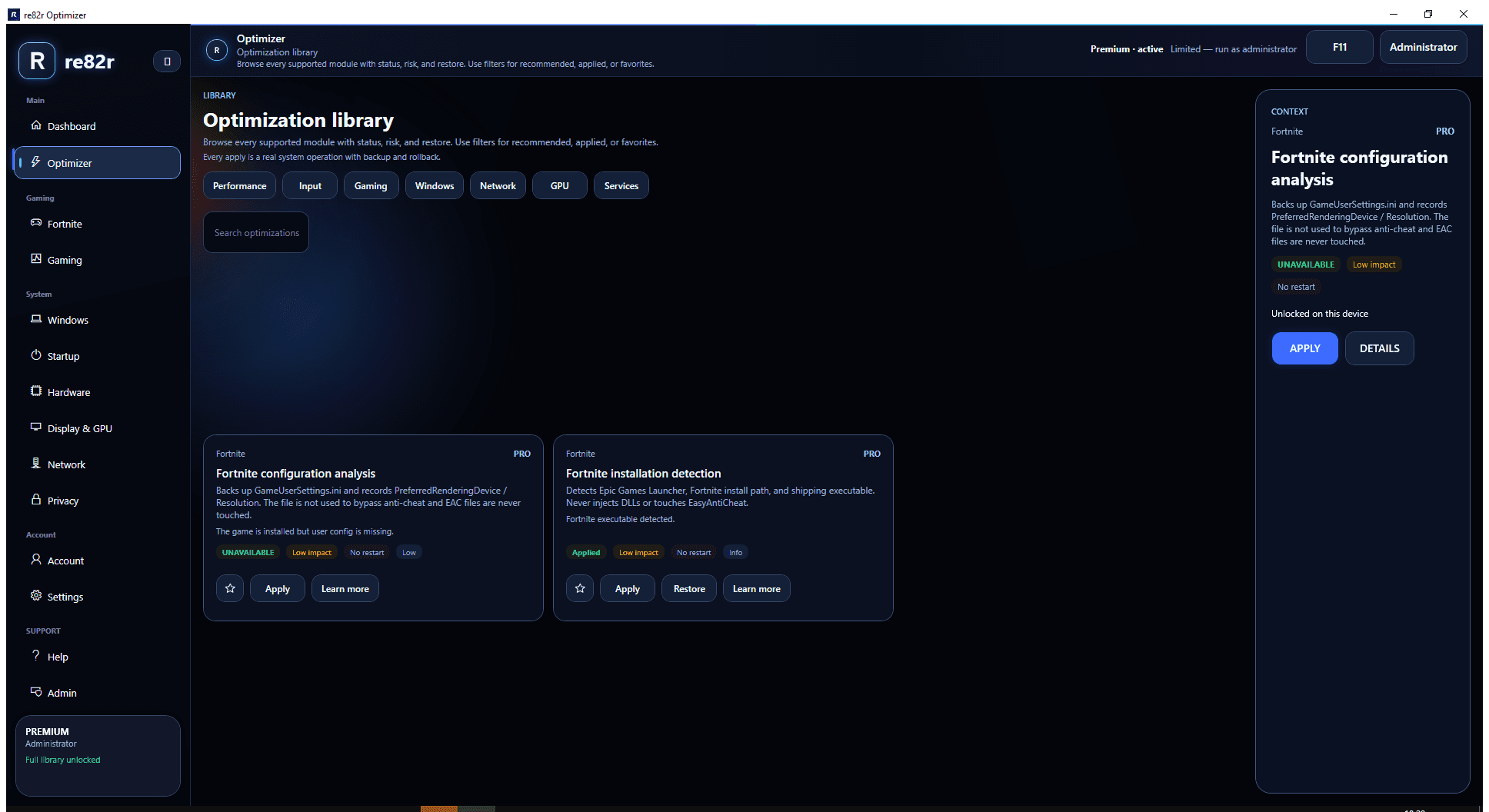
The Fortnite page reports Epic launcher, install path, and running state, then groups options that relate to the game. Apply on GameUserSettings.ini creates a backup and does not touch Easy Anti-Cheat files. Close Fortnite before applying modules that say the game must be closed.
The product never injects into Fortnite, never treats remote configuration as executable code, and never disables Windows Defender, Firewall, or UAC.
Optimizer
These names and descriptions come from the desktop catalog. Each module can be inspected, applied, and restored when a backup exists. This page does not run optimizations in the browser.
Gaming
Switches the active Windows power scheme toward High Performance while you play. Security features are not disabled.
Gaming
Sets the MMCSS Games scheduling category to High. This does not inject into games.
Gaming
Clears Windows mouse acceleration thresholds used by enhanced pointer precision.
Windows
Enables Windows Game Mode for the current user.
Windows
Sets Explorer visual effects toward a performance-oriented profile.
Windows
Disables Game DVR background capture which can add overlay and encode overhead.
Fortnite
Detects Epic Games Launcher, the Fortnite install path, and the shipping executable. Never injects DLLs or touches Easy Anti-Cheat.
Fortnite
Backs up GameUserSettings.ini and records rendering/resolution fields. Anti-cheat files are never modified.
Fortnite
Sets the Windows GPU preference for FortniteClient-Win64-Shipping.exe when the executable is found.
Network
Lists Ethernet and Wi-Fi adapters. Media is reported; Wi-Fi is not disabled automatically.
Network
Pings 1.1.1.1 and reports loss and jitter. These figures are not Fortnite server latency and do not promise a ping reduction.
Network
Lists DNS servers. They are not silently replaced.
Hardware
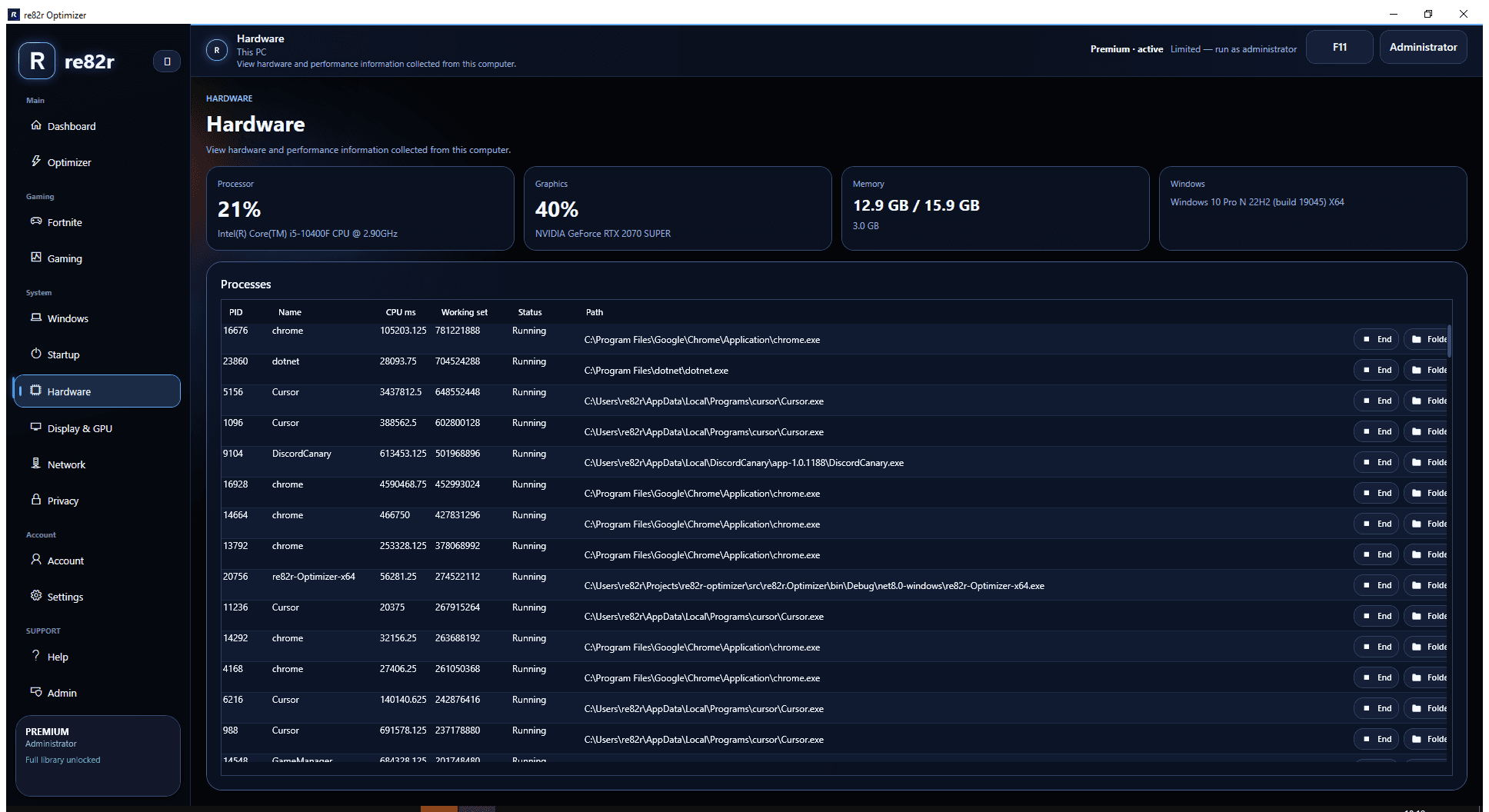
Reports processor identity collected from this PC.
Hardware
Reports the current refresh rate from Windows. Match games to the native refresh in display settings.
Hardware
Reports total physical memory from this computer.
Startup
Detects registry and folder startup entries. The optimizer never deletes them automatically.
Startup
Sets Explorer StartupDelayInMSec toward zero for the current user.
Privacy
Disables Windows tailored experiences. Does not disable Defender or the firewall.
Privacy
Turns off the Windows advertising ID for the current user.
Privacy
Restricts implicit Windows input personalization collection.
Memory
Refreshes available system memory by trimming the Windows file-system cache and unused working-set pages. Applications stay open. This is not an FPS claim.
Memory
Reports installed RAM from this PC.
Memory
Lists the top working-set processes so you can review what is using memory.
Memory
Clean RAM Cache refreshes available system memory without closing applications. Figures come from GlobalMemoryStatusEx. File-cache flush uses SetSystemFileCacheSize when SeIncreaseQuotaPrivilege is present; otherwise unused working-set pages are released with EmptyWorkingSet. This is not .NET garbage collection and is not an FPS claim.
It does not close Fortnite, Discord, Chrome, or other apps. Protected processes are skipped.
Before/after numbers are read from Windows. RAM refresh is not a persistent setting, so there is nothing to restore afterward.
Documented memory-manager APIs only. It does not empty the standby list or load drivers.
Safety
Each option shows what it does, risk, whether a restart is needed, and current versus recommended state.
Apply creates a backup when the module supports rollback. Restore returns that previous state. Gaming Mode and Fortnite INI follow the same idea.
Maximum Performance does not disable Defender, Firewall, UAC, or anti-cheat. Startup disable never deletes the original entry.
The product does not ship or load kernel-mode drivers. Display mode changes use a 15-second keep/revert dialog when Windows allows the change.
Performance
Hardware and live load come from the computer running the app. Display & GPU reads attached monitors from Windows and NVIDIA settings from NVAPI when the driver exposes them. Unsupported controls stay disabled — they are never faked. Apply always reads the value back.
There are no benchmark scores, download counts, or awards on this site. If a figure is not measured on your machine, it is not shown as a result.
FAQ
A Windows optimization utility for gamers. It adjusts selected Windows, gaming, Fortnite, network, hardware, startup, privacy, and memory settings. You preview a change, apply it, and restore the previous backup when the module supports rollback.
Official Setup.exe for 1.1.1. Administrator rights are required. After Setup, launch re82r Optimizer from the Start Menu or Desktop shortcut you chose.
SHA-256 D4FFF924D206DAA68958299205E0355DBDE0D6933AADB6BC29FDA6FABEAA455F